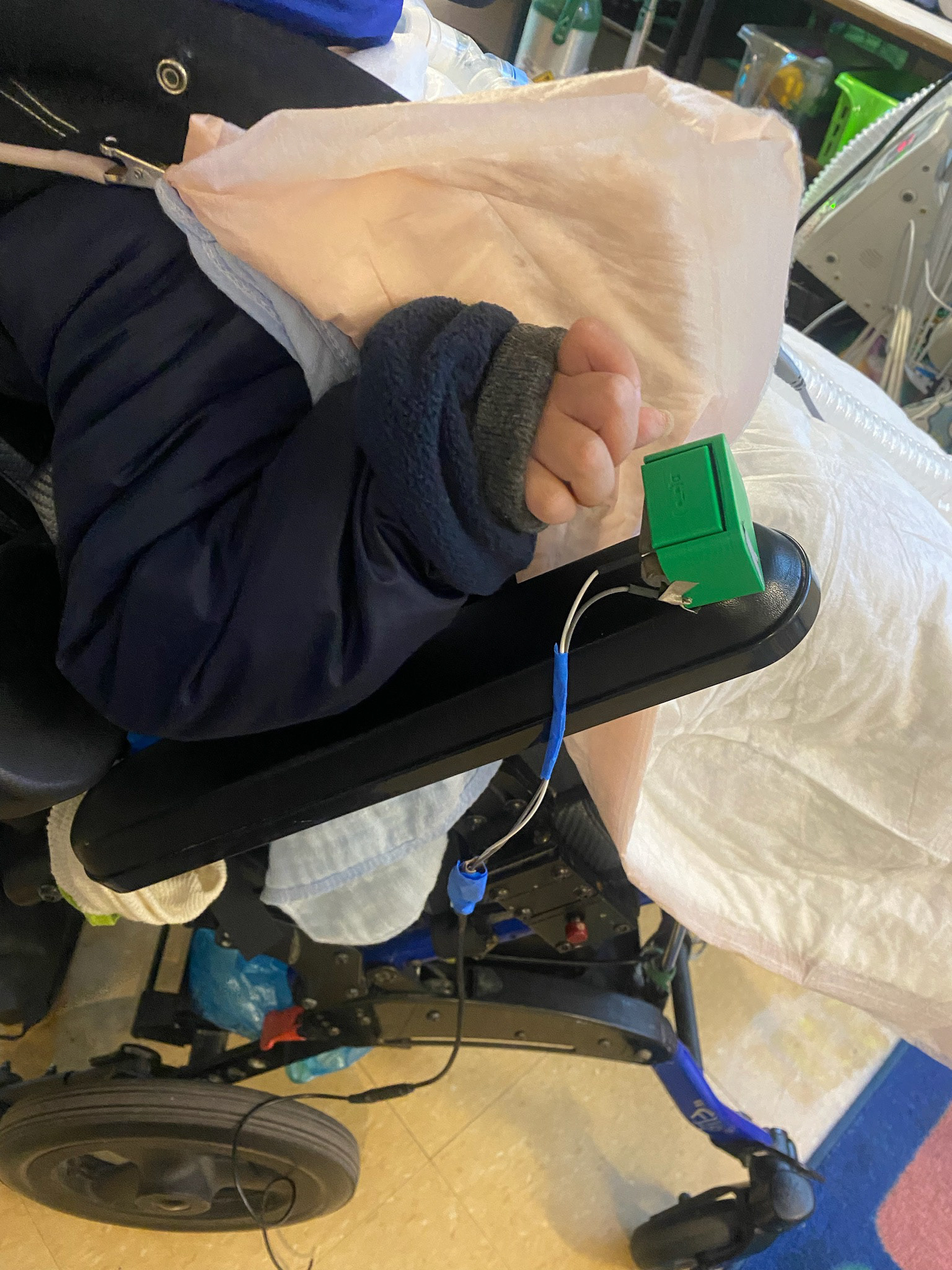
We partnered with Santa Clara County Office of Education (SCCOE) and a local special education teacher in the Bay Area to explore assistive devices.
At Studio Cassava, we work on assistive controllers and experiments with adaptive video game controllers.
How might we make an assistive bluetooth controller that allows K-12 students to use switches for everyday iPad use?
K-12 students with physical disabilities use assistive technology with the help of occupational therapists and special education teachers. Some examples are as adaptive switches with the Blue2, or Palpad, which connect to iPads wirelessly, and allow the students to operate the iPad without touching the iPad surface. However, these devices can be cost-prohibitive.
Creating a bluetooth keyboard input through open source technology means that K-12 students can have access to technology, and the switches can be modular to meet the students’ needs. They can use the switches to play a game or navigate an app.
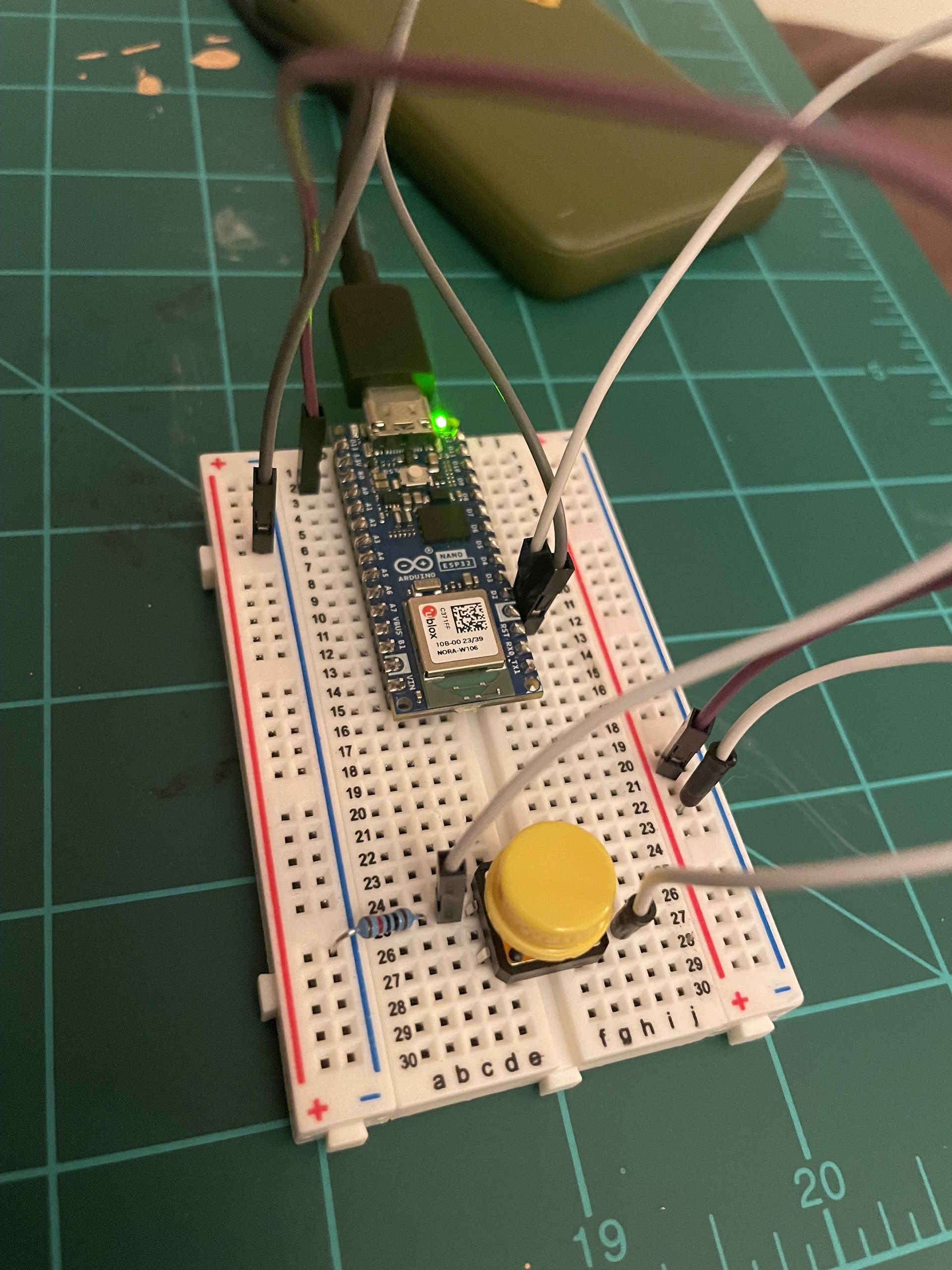
In this video, I am showcasing a Bluetooth enabled keyboard controller for any device that accepts Bluetooth connections such as this iPhone or an iPad. The current setup shows an Arduino ESP32 connected to my iPhone through bluetooth. On this breadboard the ESP 32 is wired to a yellow tactile push button and when I press this button it sends the word hey to my phone which currently has the notes app open. The code is based on a Bluetooth keyboard library. The program shows the set up for naming the Bluetooth device and the main function that detects whether the yellow button is pressed. wh en it's pressed it sends a command to send the keys to type the word “hey”.
On the iPhone I just make sure that I'm connected to the Bluetooth keyboard, and when I press the button, the word is sent to my phone.
The bluetooth capabilty means that this Arduino can be connected to an external battery pack and carried around with the device without being tethered to a computer.
This can be adapted to send a single keystroke and the iOS program can use that keystroke to play a game or navigate an app.